النص الكامل للفيديو
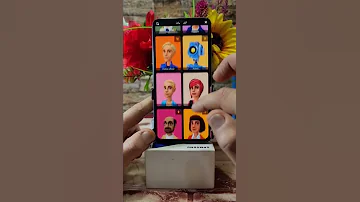
How to make professional cartoon animation video from Android. Hello everyone and welcome back to our channel. Today, we have an exciting topic for all you aspiring animators and cartoon enthusiasts out there. We'll be diving into the world of creating professional cartoon and animation videos right from the comfort of your Android device. In this video, we'll discuss three powerful tools that can help you bring your creative visions to life. So, without further ado, let's get started. Tool one, Plotagon Studio. Our first tool is Plotagon Studio, an amazing app available on the Google Play Store. With Plotagon Studio, you can easily create animated videos using pre-made characters, scenes, and dialogues. Let's take closer look. Once you've installed the app, you can choose from variety of characters, backgrounds, and emotions. You simply select your characters, customize their appearance, and add voice-overs or text-based dialogues. Plotagon also allows you to control camera angles and movements, giving your animations professional touch. You can adjust the scene transitions and even add background music to enhance the mood. When you're satisfied with your creation, you can export it in various formats, ready to share with your friends, family, or your audience. Plotagon Studio is an excellent choice for beginners and those who want to create engaging cartoon videos quickly and easily. Now, let's move on to our next tool. Tool two, Toontastic 3D. Next up, we have Toontastic 3D, another fantastic app that offers more interactive and hands-on approach to animation. Toontastic 3D lets you draw, animate, and narrate your own cartoons. It's perfect for those who want to create unique characters and tell their own stories. You can move characters around, record your voice, or add music to create dynamic storyline. The app guides you through the animation process, making it easy to bring your ideas to life. Toontastic 3D encourages creativity by allowing you to experiment with different scenes and camera angles. It's great choice for anyone who wants to add personal touch to their animations. Now, let's move on to our final tool, which offers even more advanced features for those looking to take their animations to the next level. Tool 3, MJOC2. Our third and final tool on the list is MJOC2. This app is powerhouse for animation enthusiasts who want to create professional-level cartoons on their Android devices. MJOC2 provides wide range of features, including frame-by-frame animation, layering, and advanced editing options. It's perfect for artists and animators who want precise control over their animations. The app supports various drawing tools and brushes, allowing you to create intricate characters and scenes from scratch. You can also import images and use them as references. MJOC2 lets you fine-tune your animations by adjusting timing, easing, and adding special effects. You can export your creations in high-quality formats suitable for sharing or even professional projects. With its advanced features, MJOC2 is top choice for artists and animators who want to push their creative boundaries and create stunning, professional-quality animations. And there you have it, three incredible tools that can help you make professional cartoon and animation videos right from your Android device. Whether you're beginner or an experienced animator, these apps provide range of options to suit your needs. So, go ahead and explore Plotagon Studio, Toontastic 3D, and MJOC2 to find the perfect fit for your creative journey. Thank you for joining us today, and remember to hit that like button, subscribe to our channel for more exciting content, and happy animating.

 12:48
12:48
 13:59
13:59
 10:01
10:01
 22:50
22:50
 16:21
16:21
 8:50
8:50
 8:20
8:20
 3:17
3:17