Chat GPT giant super powerful AI tiny little microcontroller. How can bring this down to here? Is it even possible? Well, I'm working on project right now and want to give you sneak peek of what I'm doing. Okay, here's the deal. I've got an ESP32 here. It is Wi-Fi enabled microcontroller, development board that can program with the Arduino IDE. So, can connect to the internet with this microcontroller development board. And these are like, don't know, hardly even 10 bucks. So, here's the plan. take keyboard, you know, like just an old school keyboard. connect it to my ESP32 so that when type, this records what the key presses are, and then it displays what type in on little OLED display. Then, when press enter, my input gets turned into string and sent up to the cloud via the internet. cuz again these are Wi-Fi connected. Then send that input up to the open AI API. It's super powerful AI does its thing, generates response and sends it back to my board and display that response on the OLED. So nothing's connected to computer here. All the work is being done with the microcontroller over Wi-Fi. So let me show you what got. So here is the old school keyboard. This is like you know some IBM old school keyboard. It was it's PS2 keyboard. That's important because had to use the PS2 library and whoever had this man they were smoker. There's like all types of burn marks over the Anyway. Okay. So then I've got this and I've got it connected to USB cable adapter. All right. And it's connected to breadboard. And then this right here is my ESP32. And I've got let's see can get there's the battery right there. And then here's the OLED. So what I'm going to do is I'm going to type on this keyboard. You can see it's not it's just being powered right now with the battery. So there's not it's not connected to the computer. It is connected to to Wi-Fi though. All right. So I'll say what is Arduino? And now it's making the call. And then you can see it responds just like that. could ask it something like, don't know, what is an apple? Now, still working again on getting the text to display appropriately. So, that's work in progress, but okay. Well, got to say think this is pretty fun. So, I'm just going to talk real quick through this whole process one more time. So the first step is you go to OpenAI and you sign up for developer account. They give them they give give developer accounts to anyway. They gave one to me so they'll probably let you have one too. It doesn't cost anything. And then you get key that you use to authenticate with the chat GPT API. Actually should say with the open AI API and API stands for application programming interface. An API is what allows different software online to allow third parties to like access their data and their information and their tools, right? So, OpenAI has all these different models like they've got chat GPT, they've got these text completion models, they've got all these different like they've got image classifier models, all this stuff. Anyway, and this one, this project right now is using text completion model. And so each one of those different models has different API that you can go to and call and get responses from. So that's really all you need to do on the OpenAI side. And then roughly what did in this project. And can kind of talk you through the libraries little bit just to show you what I'm doing here. So I'm using the Wi-Fi library and the HTTP client and Wi-Fi client secure libraries for the ESP32. So that's allowing me to connect to the internet securely and that's also allowing me to make an HTTPS request up to the API. So those were the libraries used for that. Then used Arduino JSON library. So the response you get back from the web is going to be in JSON format and the Arduino JSON library makes it easy to get that data out to parse out that data. And the JSON library is pretty cool. Programming Electronics Academy is actually sponsor. So, then once you have the data, then you kind of want to display it on the screen. And then I'm using the universal 8bit graphics library version two for working on the OLED that it works for monochromatic OLED LEDs, basically like one color LEDs. And then finally, in order to get the keyboard input, am using the PS2 key advanced library that reads the input codes from PS2 keyboard. As you can imagine, there's ton of details in this. If this sounds foreign to you or something like, man, what is going on? assure you it's not as complicated as it looks. If you're interested in learning about this Arduino stuff, the next video you should watch is this one right here. It's the Arduino in 90 minutes video. It's going to introduce you to all of this cool Arduino stuff. This whole ecosystem where just regular people can start tinkering with cool electronic stuff. It's this video right here. It's fantastic for getting you up and running with Arduino.
6:45
Meet Your New Smart Coding Companion Arduino AI Assistant
Arduino
8.5K مشاهدة · 11 months ago
3:56
Create a Python GPT Chatbot In Under 4 Minutes
Tech With Tim
751.6K مشاهدة · 2 years ago
8:38
Make AI Assistant Robot with Arduino and Python Talking robot Arduino Python with instruction
Fuse Batti Robotics
192.7K مشاهدة · 5 years ago
13:17
Create a LOCAL Python AI Chatbot In Minutes Using Ollama
Tech With Tim
261.1K مشاهدة · 1 year ago
16:50
How to Connect and Control an Arduino From Python
LeMaster Tech
114.4K مشاهدة · 2 years ago
1:14:41
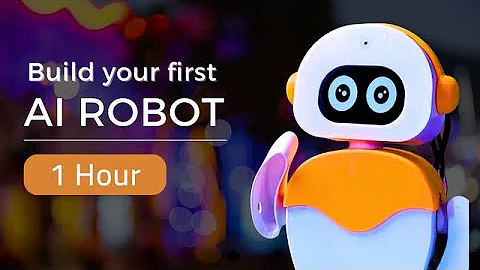
Learn to Build your First AI Robot in 1 Hour Python Programming

 6:45
6:45
 3:56
3:56
 8:38
8:38
 13:17
13:17
 16:50
16:50
 1:14:41


